
Should Your Mac Studio AI Machines Live in a Locked Data Rack?
Author: Telrex
3 November 2026
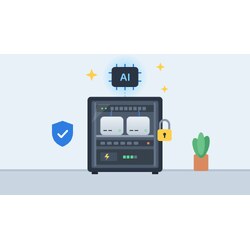

Walk into almost any tech-forward office at the moment and you'll spot one: a small aluminium Apple Mac Studio, sitting on a desk or tucked under one, quietly running AI agents around the clock. They've become one of the most popular boxes for the job, and for good reason. But we keep seeing the same thing on site: a machine worth thousands of dollars, holding sensitive business data, with nothing protecting it except the fact that nobody has picked it up yet.
If your business is building up a little fleet of Mac Studios for AI work, it's worth asking a simple question: should these live in a locked data rack? In most cases, we think the answer is yes.
Why the Mac Studio has become the AI agent box
The appeal is easy to see. Apple's latest Mac Studio, with the M5 Max and M5 Ultra chips, can be configured with a very large pool of unified memory (up to 512GB on the Ultra), which lets it run large language models locally that would otherwise need a dedicated GPU server. It's quiet, it's compact and it draws far less power than a traditional workstation or server doing similar work.
That makes it a natural fit for always-on AI agents: automating workflows, processing documents, answering internal queries or running local models so your data never leaves the building. Many businesses start with one, then add a second and a third, sometimes linking them together over Thunderbolt to share the load.
The catch is that once a Mac Studio is doing real work for the business, it stops being "a computer on someone's desk" and becomes infrastructure. And infrastructure should be treated like infrastructure.
The risks of leaving them out in the open
Theft. A Mac Studio is small, light, valuable and easy to resell. It fits in a backpack. A unit left on an open desk or in an unlocked comms cupboard is an easy target, whether that's a break-in or someone walking out with it during business hours.
Data security. AI agents often have access to email, files, CRM records, customer data and API keys. Physical access to the machine is a security risk in its own right. Open USB and Thunderbolt ports are an invitation for someone to plug in something they shouldn't.
Accidental downtime. Cleaners unplug things. Staff borrow a power point for a heater. Someone knocks a cable on their way past. If an agent is halfway through a long job, or is something your team relies on every day, that interruption costs time and money.
Heat and dust. Under a desk, against a wall or crammed in a cupboard with no airflow is not where you want a machine that runs hard around the clock.
What a locked data rack gives you
A lockable rack, either wall-mounted or floor-standing, solves most of these problems in one go:
- Physical security: a locking front door (glass or perforated) and lockable side panels mean only authorised people can touch the hardware.
- Tidy, organised mounting: Mac Studios sit neatly on fixed or sliding rack shelves. At around 20cm square, you can typically fit two side by side on a standard 19" shelf, allowing roughly 3RU of height per shelf for the unit plus breathing room.
- Everything in one place: your switch, patch panel, router, NBN gear and AI machines can all live together, with short, labelled patch leads. The Mac Studio's 10Gb Ethernet port really earns its keep when it's patched straight into a fast switch in the same rack.
- Cable management: no more power and network leads trailing across the floor.
One thing to get right is airflow. The Mac Studio draws air in around its base and pushes warm air out the back. Don't stack units directly on top of each other, leave clearance behind them, use vented shelves and choose a rack with a perforated door or a fan tray if you're running several units hard. Keep an eye on the room temperature too; a rack in a hot storeroom in a Queensland summer is a different proposition to one in an air-conditioned office.
Example: a compact 6RU wall-mount setup
For a small office running one or two Mac Studios, a good starting point is the Coms in a Box 19" x 6RU x 350mm deep wall-mount data cabinet. It has a lockable toughened-glass door, removable side panels and top fan vents, and measures 600mm wide x 350mm deep x 365mm high, so it mounts on the wall out of the way and out of reach.
The Mac Studio is only about 20cm deep, so a 350mm cabinet leaves plenty of room behind the units for power and network cables and for warm air to escape. A typical layout might look like this:
- 3RU: a 1RU cantilever shelf to suit 350mm deep cabinets carrying two Mac Studios side by side
- 1RU: patch panel
- 1RU: network switch
- 1RU: rack power rail (PDU)
A shallow wall cabinet like this won't take a rack-mount UPS, so pair it with a compact tower UPS mounted below or beside the cabinet. If you're planning to grow past two units, or want the UPS inside the rack, step up to a deeper wall cabinet or a floor-standing rack instead.
Power: a proper rail, not a power board from the supermarket
Once you have two, three or more Mac Studios in one spot, power becomes a real consideration. A rack-mounted power distribution unit (PDU) or power rail is the tidy way to do it: it mounts in the rack, gives each machine its own outlet, and avoids a daisy chain of household power boards, which is both messy and a genuine safety risk.
When planning, add up the maximum power draw of every device in the rack (check Apple's published specifications for your configuration, plus your switch, router and anything else), and make sure the circuit and PDU are rated comfortably above that. If you're running a larger cluster, it may be worth having an electrician look at a dedicated circuit.
Why a UPS matters for AI agents
Australian power isn't always kind. Storms, brownouts and the odd unexplained blip are part of life, and a hard power cut is bad news for a machine in the middle of a long AI task. A UPS (uninterruptible power supply) in the rack gives you:
- Ride-through for short outages and brownouts, so the agents simply keep running.
- Graceful shutdown during longer outages. macOS supports a USB-connected UPS, so you can set the Mac to shut down cleanly when the battery gets low, rather than crashing.
- Protection against surges and spikes that can damage expensive hardware.
Size the UPS for the combined load of everything you want protected, including your network switch and internet equipment. There's not much point keeping the AI machines alive if the switch they talk through goes down. It's also worth turning on the macOS setting to start up automatically after a power failure, so your machines come back on their own when power returns.
A quick checklist
- Lockable rack sized with room to grow (it's always more units than you planned)
- Vented shelves with clearance around each Mac Studio
- Rack PDU or power rail with enough individual outlets
- UPS sized for all protected equipment, connected by USB for automatic shutdown
- Network switch and patch panel in the same rack
- Good cable management and labelling
- Somewhere cool and ventilated to put it all
- Keys held by the right people, not left in the lock
Talk to Telrex about your rack setup
Telrex supplies data and server racks in a range of sizes, along with shelves, power rails, UPS units, patch panels and cabling, from our Loganholme (QLD) and Keilor Park (VIC) locations. Whether you've got a single Mac Studio running an agent or a growing cluster doing serious work, we can help you put together a setup that keeps the hardware secure, powered and tidy.
Get in touch with the Telrex team and we'll help you pick the right rack, power and UPS for your AI machines.