
Why the Jabra PanaCast 50 Is the Video Bar We Keep Recommending for Small and Medium Meeting Rooms
Author: Telrex
23 September 2026
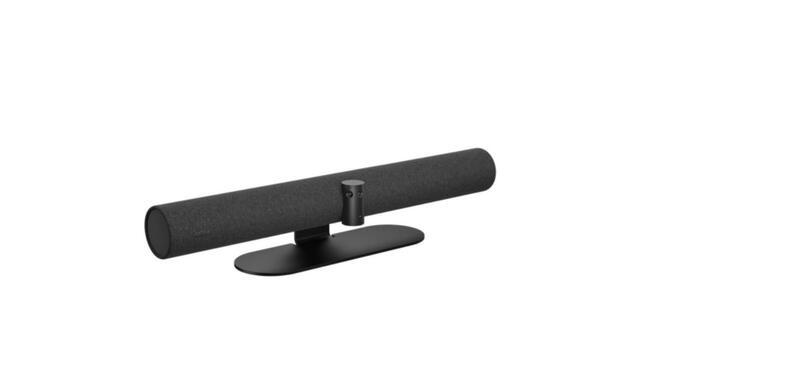

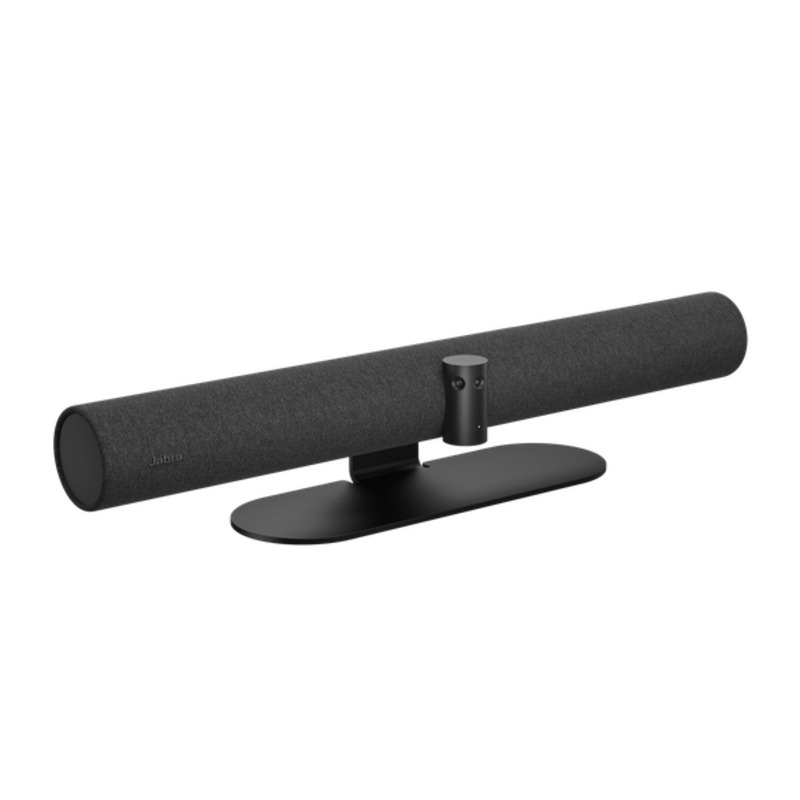
There's a reason the Jabra PanaCast 50 keeps turning up in the meeting rooms we fit out. Most video bars point one camera at the far wall and hope everyone squeezes into the shot. The PanaCast 50 takes a different approach: three cameras stitched into a single 180-degree view, so the people sitting right up against the screen are in the picture as clearly as the ones at the end of the table. For the small and medium rooms that make up most Australian offices, that one design decision solves the problem that ruins more video meetings than anything else.
The 180-degree difference
The PanaCast 50 has three 13-megapixel cameras behind a single lens cover. Jabra's processor stitches their feeds together in real time into a Panoramic-4K image (3840 x 1080), giving a 180-degree horizontal field of view with up to 6x lossless zoom. In practice that means the bar can sit directly under the screen at the end of a 4.5 by 6 metre room and still see every seat, including the two chairs closest to the display that a conventional 120-degree camera would crop off at the shoulders. Nobody has to shuffle their chair, and nobody appears as a disembodied elbow.
The wide view also gives Jabra's AI something to work with. Intelligent Zoom frames the group automatically and re-frames as people come and go. Virtual Director follows whoever is speaking, cutting between people the way a human camera operator would, so the far end sees faces rather than a static wide shot. Dynamic Composition goes a step further and splits the room into up to four individual tiles, which levels the playing field for remote participants who are otherwise squinting at a boardroom from across the country.
Sound that matches the picture
Good video with poor audio is still a bad meeting. The PanaCast 50 carries an eight-microphone beamforming array that locks onto voices around the table and rejects the air-conditioning and keyboard noise between them, with echo cancellation to keep the far end from hearing themselves. Output comes from four speakers: two 50 mm woofers and two 20 mm tweeters covering 80 Hz to 20 kHz, which fills a medium room with clear speech without the tinny quality of a single-driver bar. It's why we recommend the PanaCast 50 over cheaper bars for rooms where the table is more than a couple of metres from the screen.
Features you'll actually use
Two features set the PanaCast 50 apart from most competitors at this price. The first is whiteboard sharing: point the bar's dedicated content stream at a physical whiteboard and it corrects the perspective, boosts the contrast and shares it as a second stream alongside the room view, so remote participants can read what's being written without anyone holding a laptop up to the wall. The second is PeopleCount, which uses the cameras to count occupants and report room usage. Facilities teams use it to see which rooms are over-booked and under-used, and it can warn when a room is over its safe capacity.
The bar is certified for Microsoft Teams, Microsoft Teams Rooms, Zoom and Zoom Rooms, and works as a standard USB device with Google Meet, Webex and any other platform. Connectivity is USB-C and USB-A plus Ethernet, with Bluetooth for the remote and Jabra's management apps, and it's managed remotely through Jabra Xpress or Jabra+ so IT can push firmware and monitor every room without a site visit.
BYOD or a full room system: your choice
Out of the box the PanaCast 50 is a BYOD bar: plug a laptop in over USB and it becomes the room's camera, mics and speakers for whatever meeting app is on the laptop. That keeps the cost down and works for any visitor's platform. If you'd rather have a laptop-free room with one-touch join, the same bar is available as the PanaCast 50 Room System, paired with a compute unit and touch controller running native Microsoft Teams Rooms or Zoom Rooms. We also bundle it with the Barco ClickShare CX-20 for rooms that want wireless presentation and one-cable conferencing from any laptop. Same camera and audio in every configuration, so you can start with BYOD and upgrade later without replacing the bar.
Which rooms it suits
Jabra certifies the PanaCast 50 for rooms up to 4.5 by 6 metres, which covers the typical six- to twelve-seat meeting room, the training room and the smaller boardroom. It's at its best where people sit close to the screen or spread along a wide table, where a whiteboard is part of how the team works, and in multi-room fit-outs where facilities want usage data. For four-seat huddle rooms, the smaller Jabra PanaCast U30 is the more economical choice; for large boardrooms and long rooms you'll want a system with expansion microphones, and we can advise on those too.
Installation and mounting
The bar mounts on the wall, on a table stand or on a screen mount, and all three are available as accessories. A single USB run to the table (Jabra makes a 5 metre active cable for the PanaCast 50) is often all the cabling a BYOD room needs. Our licensed technicians can install and configure it, including the Ethernet, power and screen mounting, and set up Teams or Zoom Rooms on the Room System version. It carries a two-year warranty, extendable with Jabra Warranty+.
Where to get it
Telrex is a Jabra Premium Partner and stocks the Jabra PanaCast 50 along with mounts, cables, power supplies, the Barco CX-20 bundle and the rest of the Jabra video conferencing range. Send us your room dimensions and how many people use it and we'll tell you whether the PanaCast 50, the U30 or a full room system is the right fit. Fitting out several rooms? Ask about project pricing and installation.
Telrex also supplies HP Poly, Yealink, Logitech and other leading brands, so if the PanaCast 50 isn't quite the right fit, our team can recommend an alternative. Based in Australia. Shipping nationwide. Need help choosing a video bar for your meeting rooms? Contact Telrex for expert advice, or call Brisbane on 1300 665 970 or Melbourne on 1300 881 011.